
How to redesign your website without losing SEO: a step-by-step checklist
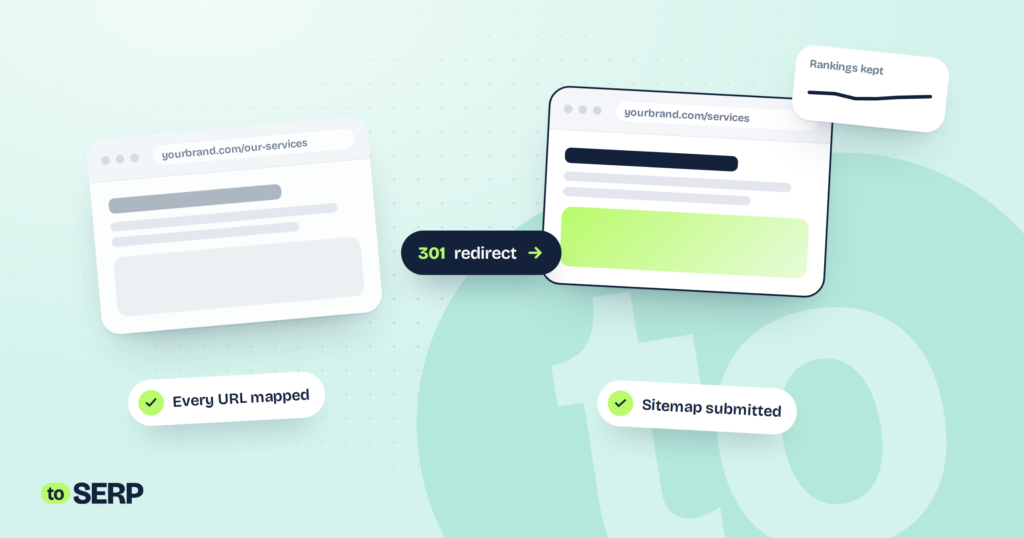
A new website should bring in more business, not less. Yet redesigns are one of the most common reasons a site suddenly loses its Google rankings, sometimes overnight. Almost always, the cause is avoidable.
This checklist walks through what to do before, during and after a redesign so your new site keeps the visibility your old one earned, and builds on it.
Key takeaways
- Most redesign traffic losses come from changed URLs without redirects, removed content and leftover noindex settings.
- Benchmark and map every URL before you start building.
- Carry over the titles, content and structured data that already rank.
- Monitor Search Console closely for at least 8 weeks after launch.
Why redesigns lose rankings
Google ranks individual pages, not websites. When a redesign changes or removes the pages Google knows, the rankings attached to them can disappear too. These are the usual culprits:
| What goes wrong | What happens | How to prevent it |
|---|---|---|
| URLs change with no redirects | Old pages return errors, and their rankings are lost | Map every old URL to a new one with 301 redirects |
| Ranking content is cut | Pages lose the text that earned their positions | Keep and improve content that already ranks |
| Noindex is left on after launch | Google is told not to index the new site | Remove staging settings on launch day and check |
| Titles and metadata are lost | Pages lose relevance signals and click-through | Carry over titles, descriptions and headings |
| The new site is slower | Worse experience, especially on mobile | Test speed before launch and fix heavy pages |
| Tracking breaks | You can’t see the impact, good or bad | Test analytics and conversions on launch day |
The redesign SEO checklist
Before you start
- Benchmark current traffic, rankings and leads in Google Search Console and GA4
- Crawl the existing site and export every URL
- Identify the pages that bring in the most traffic, links and leads
- Decide which URLs will stay, change or merge, and map each old URL to its new one
- Keep the content that ranks, and improve it rather than deleting it
While you build
- Build on a staging site that’s password-protected and set to noindex
- Carry over page titles, meta descriptions, headings and structured data
- Set up 301 redirects for every changed URL, using your map
- Keep internal links pointing straight to the new URLs, not through redirects
- Test page speed and mobile layout before launch
Planning a new website? See how we build sites that rank
On launch day
- Remove the noindex setting and staging password
- Check robots.txt isn’t blocking the site
- Switch on the redirects and test a sample of old URLs
- Submit the new XML sitemap in Google Search Console
- Test every form, phone link and conversion event
After launch
- Watch Search Console daily for crawl errors and pages not indexed
- Fix any 404 errors with redirects or restored pages
- Compare rankings and traffic against your benchmark weekly for 8 weeks
- Update important external links, such as your Google Business Profile, to the new URLs
Switching platforms
Moving from one platform to another, for example to WordPress, Webflow or Shopify, follows the same checklist. The extra risk is that platforms structure URLs differently, so more URLs tend to change. That makes the redirect map even more important, so build it early rather than the week before launch.
How long until things settle?
When a redesign is handled carefully, rankings and traffic usually stay steady, with small fluctuations for a few weeks while Google re-crawls the new site. Many sites then see improvements, as faster pages, clearer structure and better content start to pay off. A large or lasting drop is a sign something on the checklist was missed, and it’s usually fixable if caught early.
Frequently asked questions
Should I change my URLs during a redesign?
Only if there’s a good reason, such as a much clearer structure. Every changed URL needs a 301 redirect from the old address. If your current URLs are clean and descriptive, keeping them is the safest option.
What is a 301 redirect?
A 301 redirect permanently sends visitors and search engines from an old URL to a new one. It tells Google the page has moved, so most of the old page’s ranking value passes to the new address.
How long should redirects stay in place?
Ideally, for good. At the very least, keep them for a year. Old links on other websites, bookmarks and search results can keep sending people to the old addresses for a long time.
Is a small drop in traffic after launch normal?
A short wobble of a few weeks is common while Google re-crawls the new site. A large or lasting drop usually points to missing redirects, a leftover noindex tag or removed content, which is why monitoring after launch matters.